Just When You Were Getting Used To It
iPhone Camera Update
The iPhone Camera app has been updated again as part of an overall update to the apple operating system iOS. The main phone capability changes are unlikely to impact on WGPC members apart from things looking different because of a new style they call “Liquid Glass”.
As far as I can tell, the camera changes are almost entirely about how you use it, not what the camera itself can do. Image quality and core functionality appear unchanged—but the way you access things most definitely is.
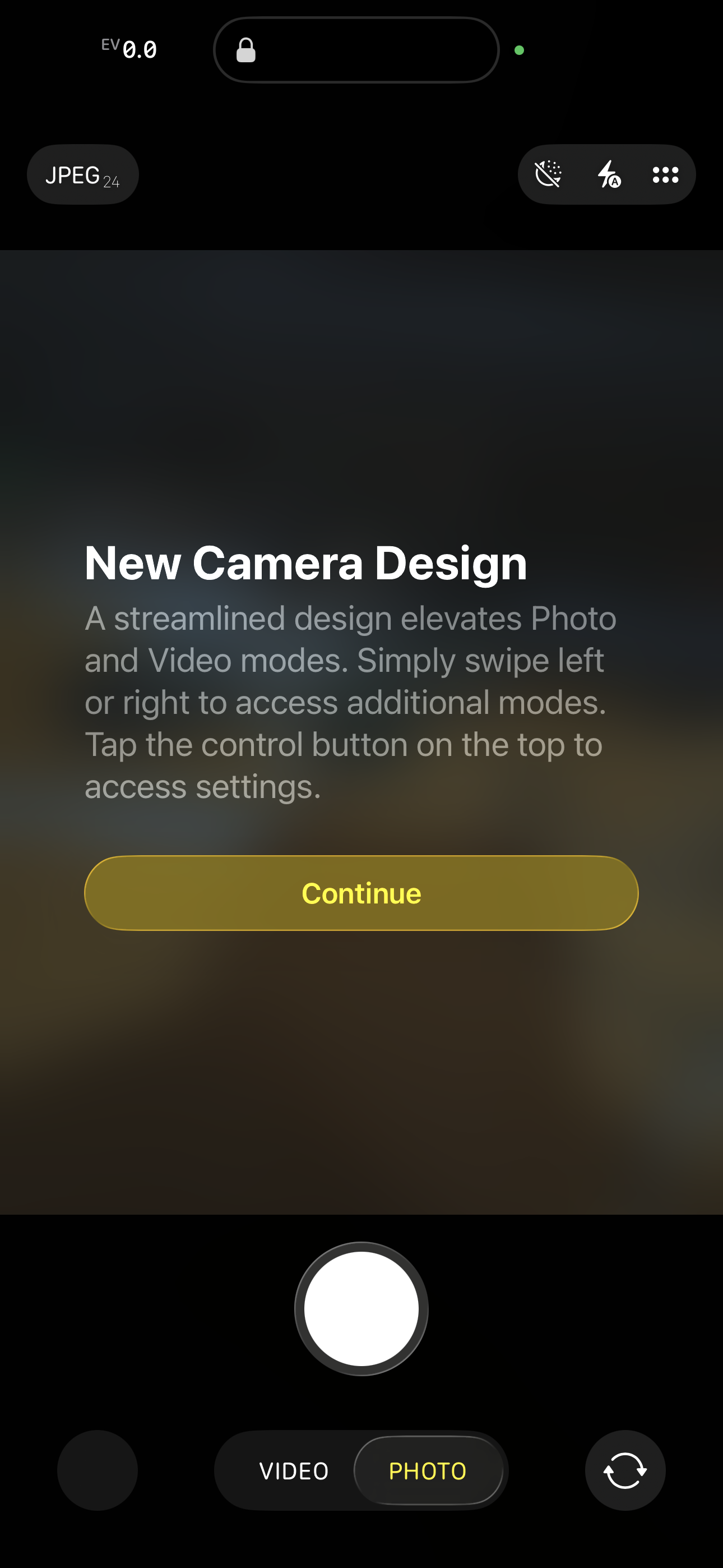
The new camera interface.
What’s Changed?
The most obvious difference is at the bottom of the screen. Where we were once presented with a row of familiar camera modes, there are now just two options:
Photo
Video
At first glance this feels like a step backwards. But the missing modes haven’t gone away—they’re just hidden.
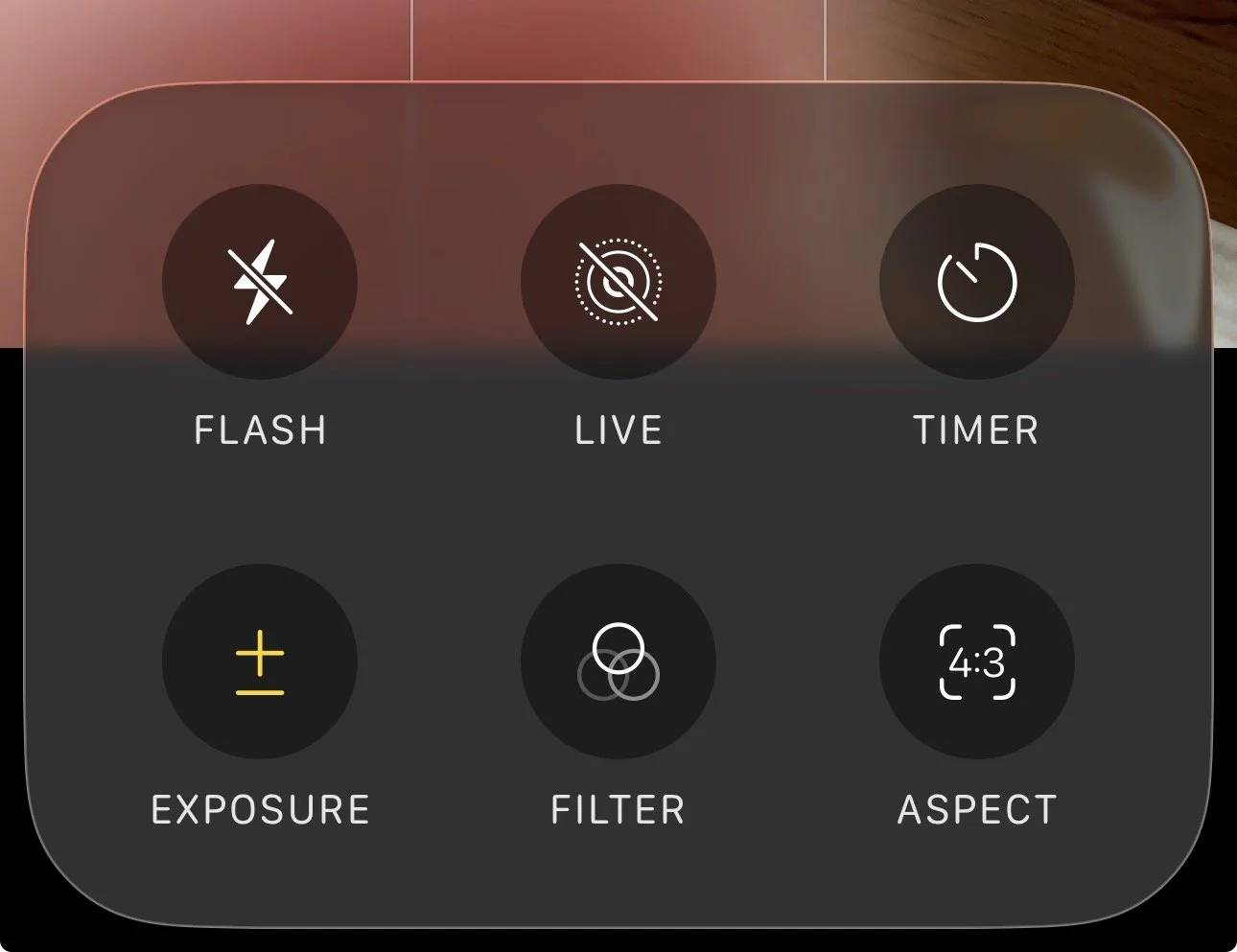
Sub menu options for “photo”
If you press and hold on the word Photo or Video, the familiar list of modes expands to the left and right. From here you can select options such as Portrait, Night, and others by swiping across the screen, much as before.
This behaviour isn’t obvious, and it’s easy to assume features have been removed when in fact they’ve simply been tucked away.
A Second Layer of Controls
It gets more complicated.
If instead of pressing and holding, you tap and release on Photo or Video, a new submenu of icons appears. These provide access to additional settings that depend on the mode you’re in.
For example, in Photo mode you can:
Turn flash on or off
Switch Live Photos on or off
(Please keep Live Photos turned off if you want to share images with WGPC)
Set a shutter delay — useful for selfies and for avoiding camera shake
Adjust exposure, which can help in low light or high-contrast scenes
Apply filters (such as warming or black & white) before taking the picture
A word of warning here: if you’re saving images as JPEGs (which most people are), these filter choices are not reversible later. RAW shooters have more flexibility, but very few WGPC members currently use that option.
Some of these controls appear to be scene-dependent, so I would expect Night mode or HDR-related options to appear automatically when the phone detects appropriate conditions. I haven’t experimented enough yet to be certain.
So What’s Going On?
It feels as though Apple is trying to make the Camera app simpler at first glance, perhaps paving the way for more AI-driven automation in future. At the same time, they’ve actually added or retained manual controls—only now they’re harder to discover.
For casual users this may not matter. For photographers, it’s a slightly frustrating mix of minimalism and complexity.
My Conclusion
For me, this leaves a choice:
Continue learning the Project Indigo camera app as it evolves, or
Start learning this newly reworked Apple Camera app from scratch
Given that I haven’t used the Apple Camera app “in anger” for quite some time, you can probably guess which way I’m leaning.
As ever, if you’re unsure where something has gone—or how to get the behaviour you’re used to—do ask. Sometimes the feature hasn’t disappeared at all; it’s just hiding in plain sight.