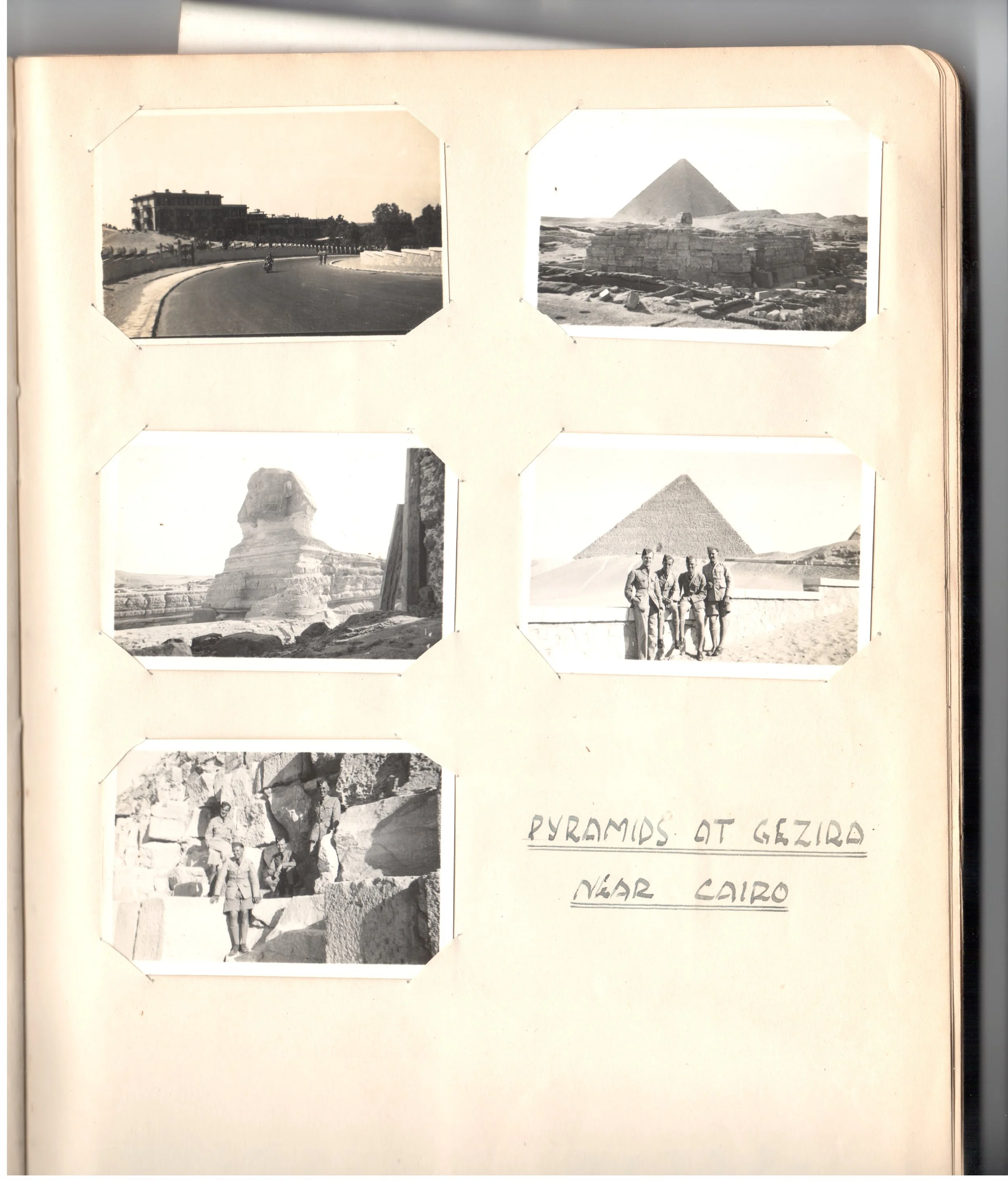
Page scanned from the album
I recently rediscovered an album of old photos belonging to Jan’s father, taken during the Second World War in Egypt while he served with RAF signals intelligence. The small 2.5 x 1.5 inch prints are mounted, and many are handwritten with labels, though age has left them faded and sepia-tinted. With a couple hundred photos to process, I wanted to see if the new AI tools in Photoshop could speed up recovery and enhancement.
The Raw Scan
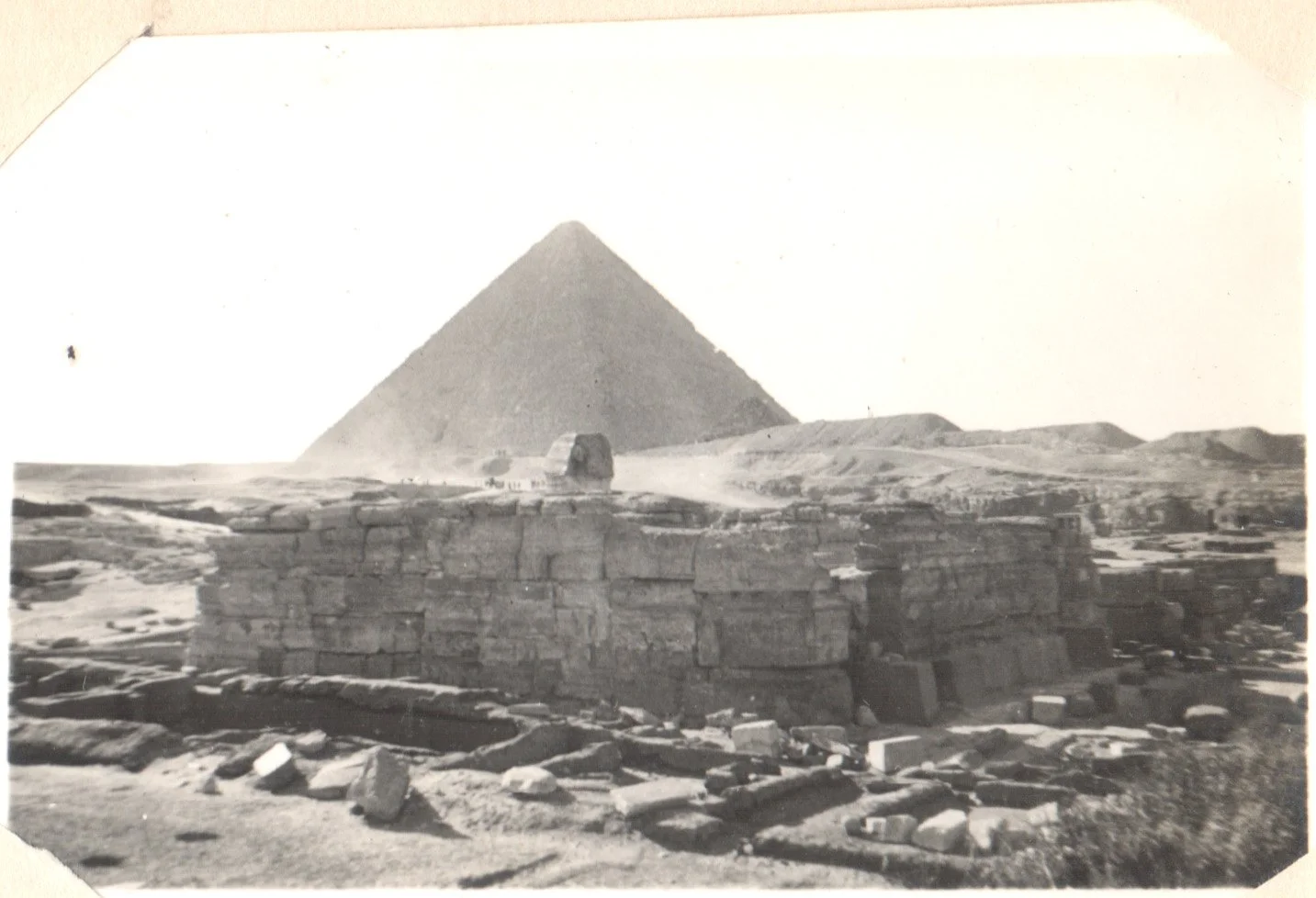
First scan, the image lacks contrast, the sky is over exposed and the image has faded.
The original scan lacks contrast, the sky is overexposed, and the details have faded over time.
First AI Restoration Attempt
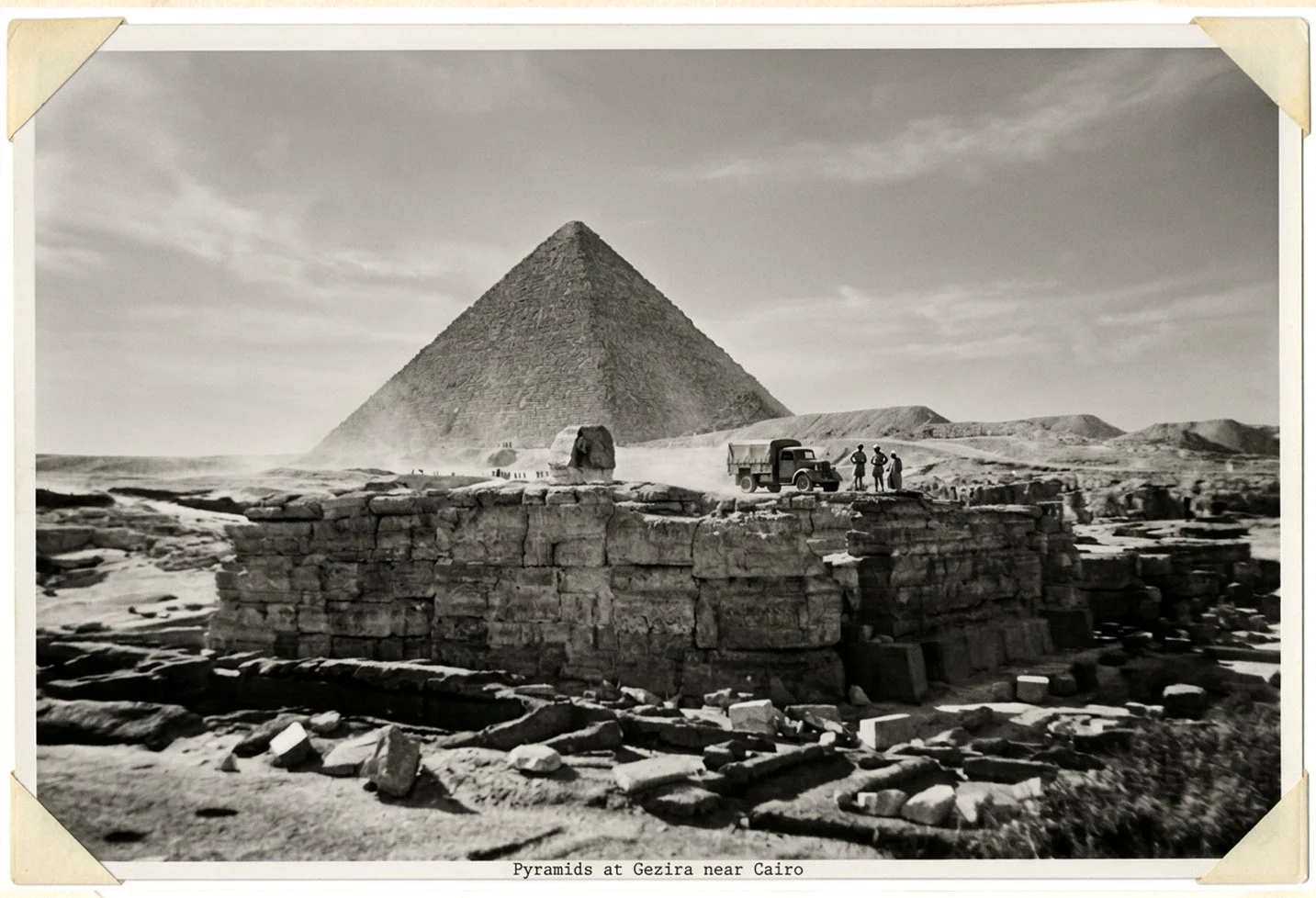
First attempt has enhanced the photograph but added a military vehicle and people.
Photoshop enhanced the contrast nicely, but hallucinated a whole new military vehicle and extra people into the scene!
Refining the AI Prompt
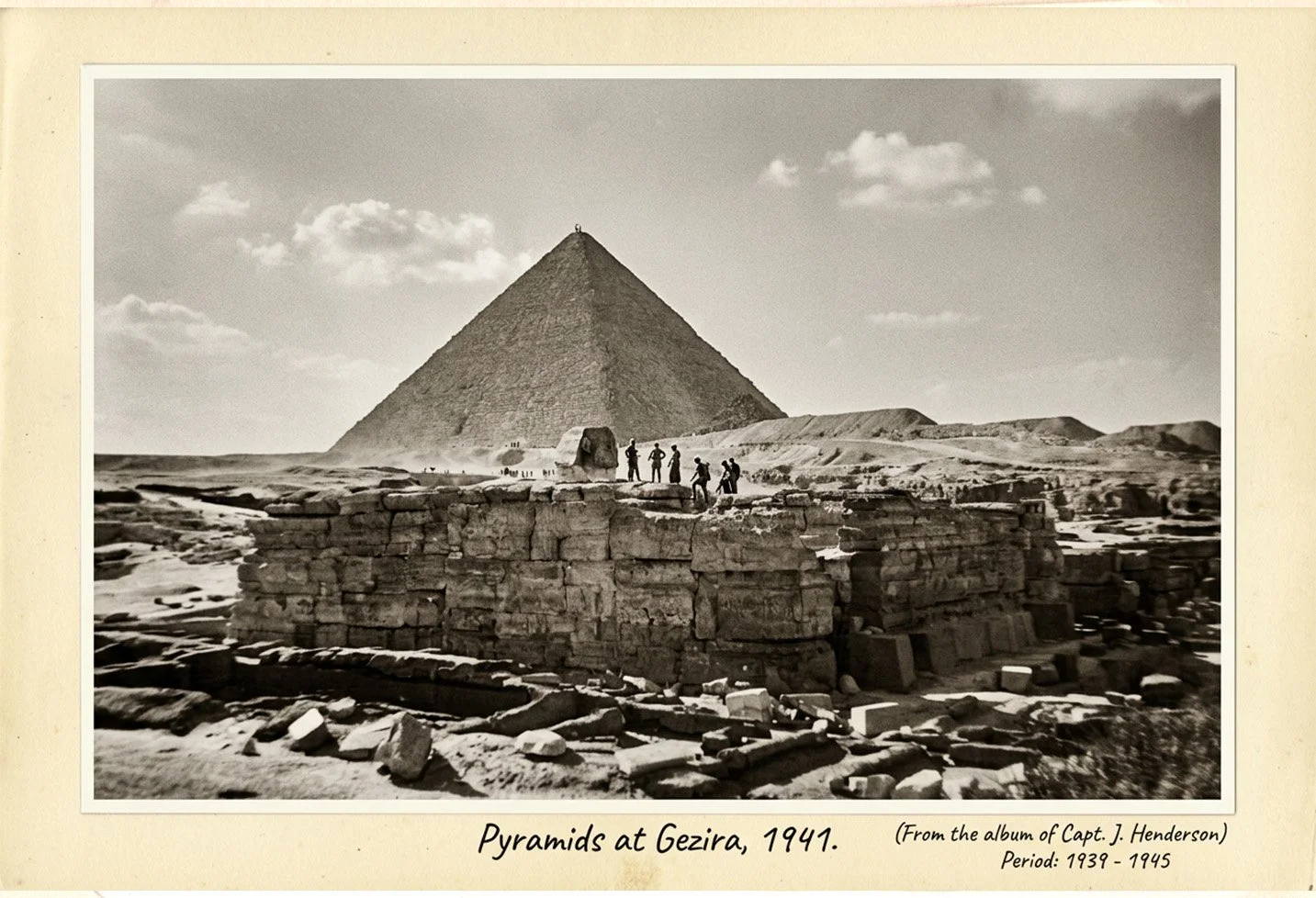
Which part of “do not add anything” did it not understand?
Thinking the tool needed clearer boundaries, I prompted it to maintain historic accuracy and added: "Do not add anything that is not in the original picture."
Which part of "do not add anything" did it miss? While it removed the extra vehicle, it turned a stone structure that we later recognised as the top of the head of the Sphinx, into another vehicle, kept the added crew, and even placed tiny figures atop the pyramid. It also invented a name for the album owner.
The Traditional Editing Route
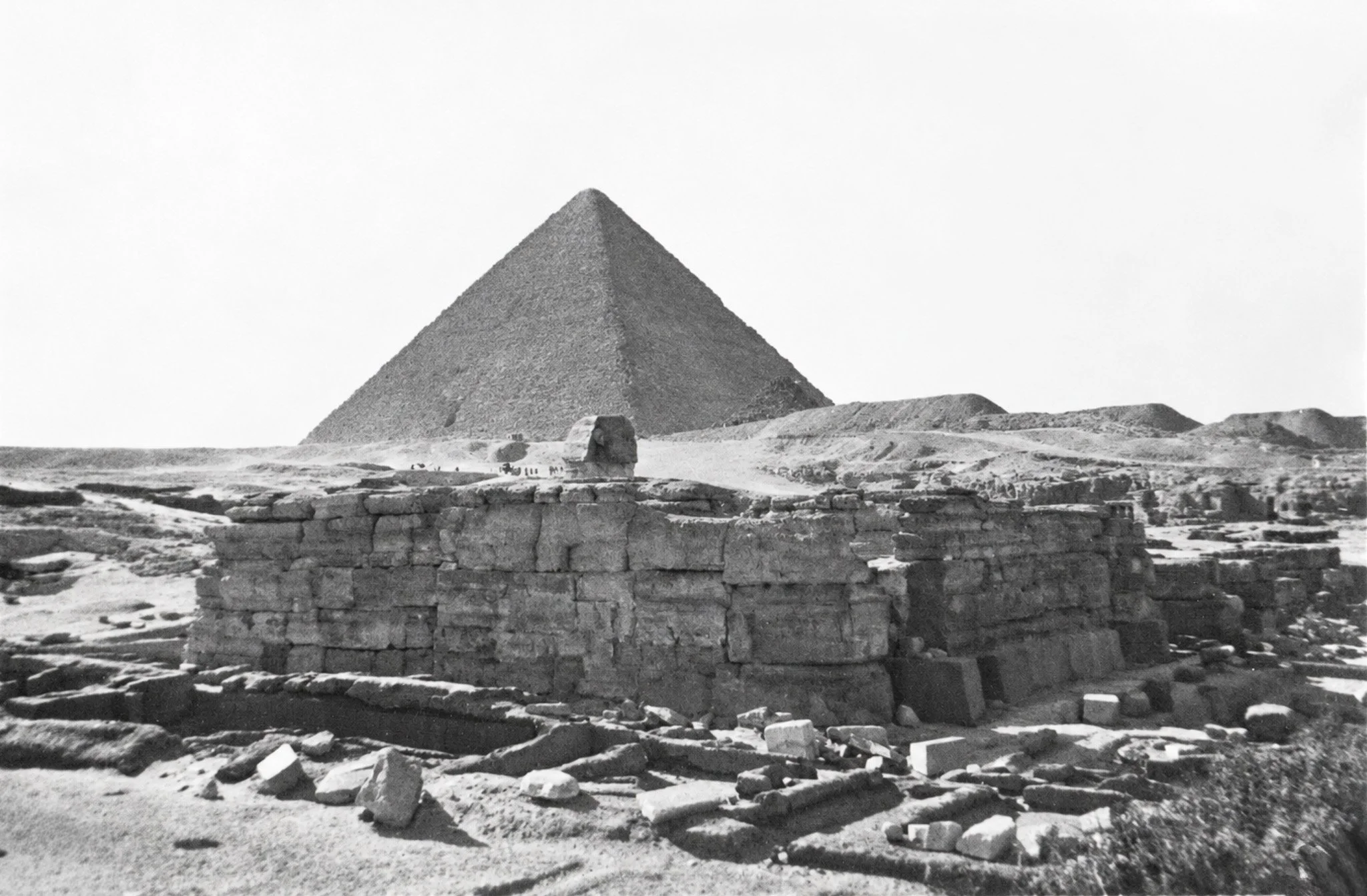
Traditional Editing Version is Truer to the Original
In the end, sticking to traditional adjustments—contrast, black/white levels, and manual dust cleaning—produced a result far truer to the original historic archive.
Location Research
AI did, however, come to the fore in identifying the location as the Valley Temple of Khafre with the pyramid of Khufu/Cheops in the background. The top of the head of the Sphinx can be seem peeking over the top of the temple and was the stone feature my original AI attempt identified as a military vehicle!
A modern view from nearly the same viewpoint is on Flickr, it shows additional modern paving and steps for what is now a tourist attraction.